
Ads reporting helps you understand the results returned by your connected ad accounts. Data can arrive after the activity occurred.
Set the reporting view#
- Open Ads.
- Choose the date range.
- Apply the available platform, status, account, or currency filters.
- Review the totals and trend chart.
- Expand a campaign to inspect its underlying ads.
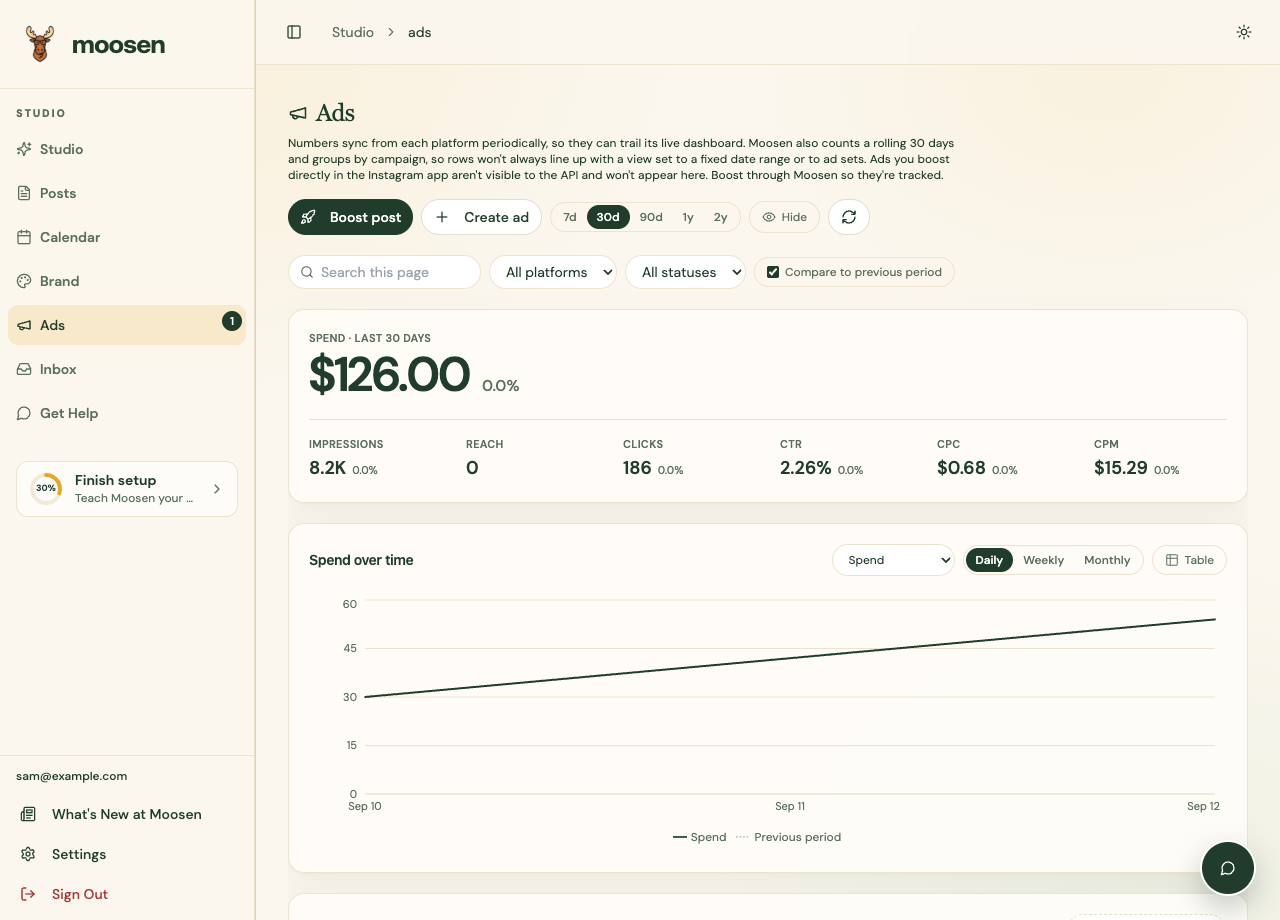
Read the measurements#
| Measurement | What it describes |
|---|---|
| Spend | Advertising cost reported for the selected scope. |
| Impressions | Reported ad displays. |
| Clicks | Reported clicks on the ads. |
| CTR | Click-through rate. |
| CPC | Cost per click. |
| Conversions | Tracked actions reported by the platform. |
| ROAS | Reported return on ad spend when revenue and spend data are available. |
Conversion and revenue measurements depend on the connected platform and its tracking setup. A missing value doesn't automatically mean zero results.
Reddit reporting#
Reddit supplies impressions, clicks and spend, with CTR, CPC and CPM calculated from those values. Reach, video results and attributed conversion metrics aren't supplied here. Don't treat their absence as zero customer activity. Pixel event receipts aren't attributed campaign conversions.
Compare with the platform#
Align the date range, timezone, currency, and reporting level before comparing Moosen with a network's dashboard. A campaign total isn't the same scope as one ad set. Sync delays can also explain differences.
Don't add different account currencies together as if they were the same unit. Use the available currency scope.
Inspect a specific ad#
Open an ad's details for the supported metrics and timeline. Use recommendations as suggestions to review against these results, rather than a guarantee of better performance.