
Create an ad from the Ads workspace after connecting an eligible ad account. The form adapts to the selected network.
Choose the accounts#
- Open Ads and select Create ad.
- Choose Post as.
- Choose Ad account (who pays).
- Optionally start from an eligible published post to reuse its content as a starting point.
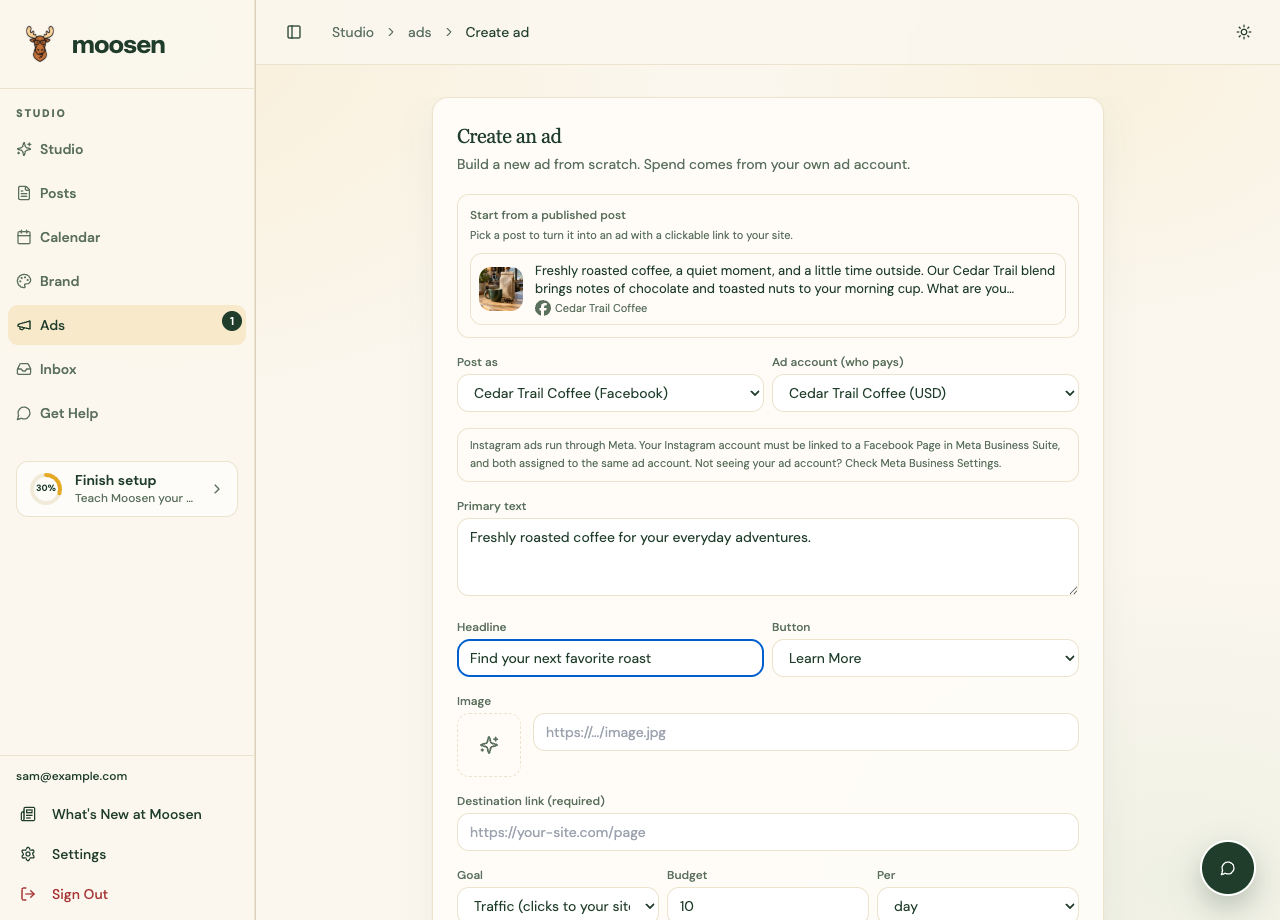 Check both account fields before preparing the ad. Sample data. Select image to enlarge.
Starting from a post can prefill creative fields. Review the copied text and image before proceeding.
Prepare creative and targeting#
Enter the creative fields offered for your format. Reddit text ads use a headline and body without an outbound destination or button. Image, video and carousel requirements differ. See the Reddit Ads guide. Choose the button and goal offered for the selected network.
Complete the available audience and targeting fields. Some goals require tracking, catalogs, or other setup that the form may not support. Use the goals actually offered for your connection.
Set the budget#
Choose a supported budget type and amount. Review the displayed currency, minimum, and any required end date. ChatGPT ads use their own card fields and a lifetime budget with an end date.
Review before launching#
Check the account charged, destination link, creative, audience, budget, and dates. Submit only when you intend to create the paid campaign.
Reddit needs an advertiser-owned pixel for every goal and doesn't support draft validation. Lifetime budgets need an end date.
After creation, inspect the campaign's status in Ads. Creation and platform approval are separate events, and delivery may not begin immediately.
See budgets and status and reporting for the next steps.