
Use Repost for another publication of an existing post. Use Recycle to repeat suitable content at a regular interval.
Configure recycling#
- Open Posts and find the published post.
- Open Post actions → Recycle when available.
- Turn recycling on.
- Choose Repeat every and the interval in weeks or months.
- Optionally set a maximum number of repeats or a stop date.
- Add content variations if you want to rotate the wording.
- Save and confirm the settings.
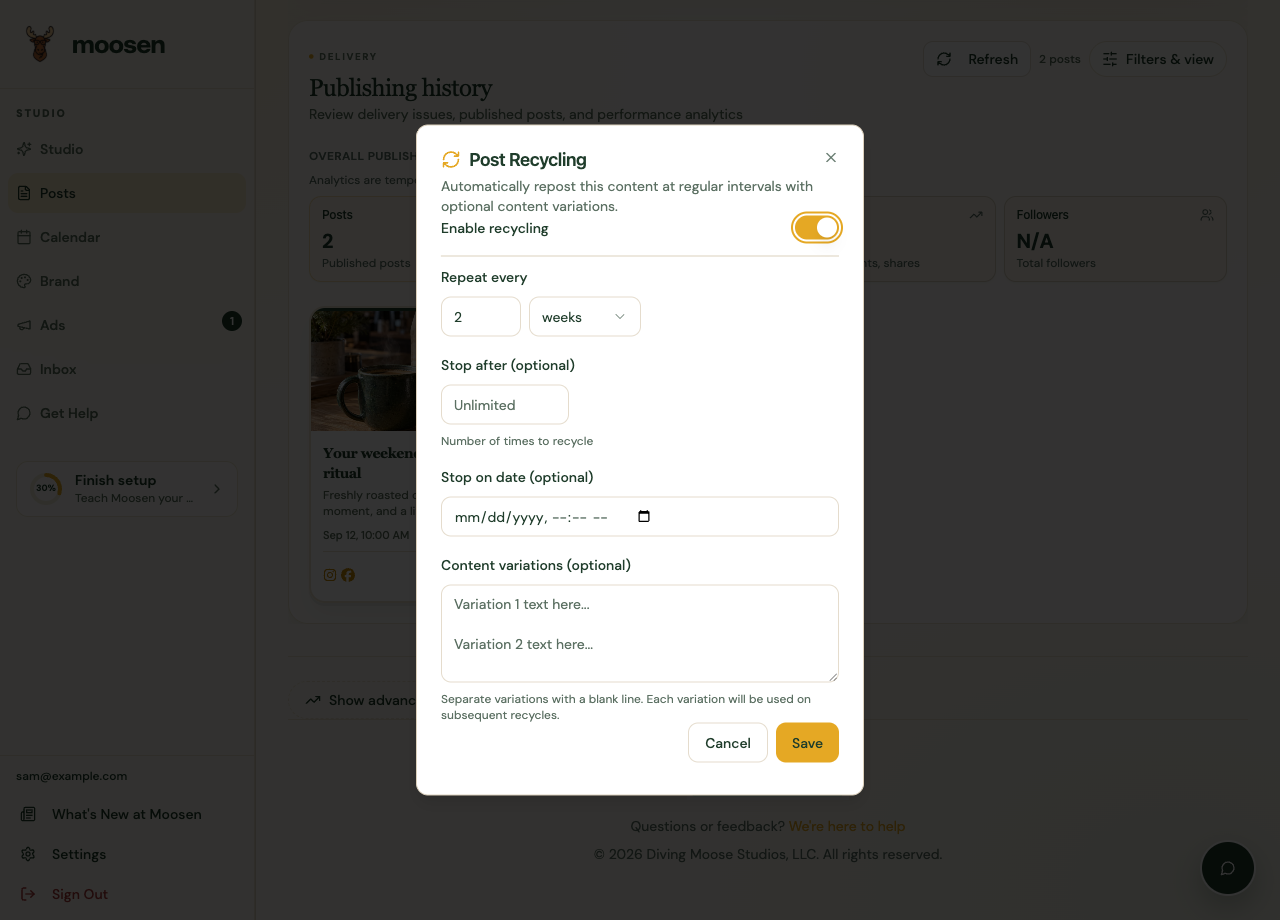 Use an interval and a stopping rule that fit the content. Sample data. Select image to enlarge.
Separate content variations with blank lines. Check each variation for factual accuracy.
Choose suitable content#
Recycling works best for evergreen information. Avoid repeating expired discounts, past events, unavailable products, or a customer story whose context has changed.
YouTube and TikTok don't support recycling in Moosen. A mixed-destination post may show a warning about unsupported channels.
Stop repetition#
Reopen the recycling settings, turn recycling off, and save. Check upcoming content and platform status if a repeat was already due or in progress.
Recycling settings may be unavailable for a post without a supported publishing record. Use the available repost flow or create a separate post when appropriate.
See remove a post if you want to remove content instead.