
Boosting uses an existing published post as paid promotion. Availability depends on the platform, post format, connection, and account permissions.
Choose the post#
- Open Ads and select Boost post.
- Choose an eligible post from the list.
- Check its platform, identity, text, and image.
- Select the ad account that should pay.
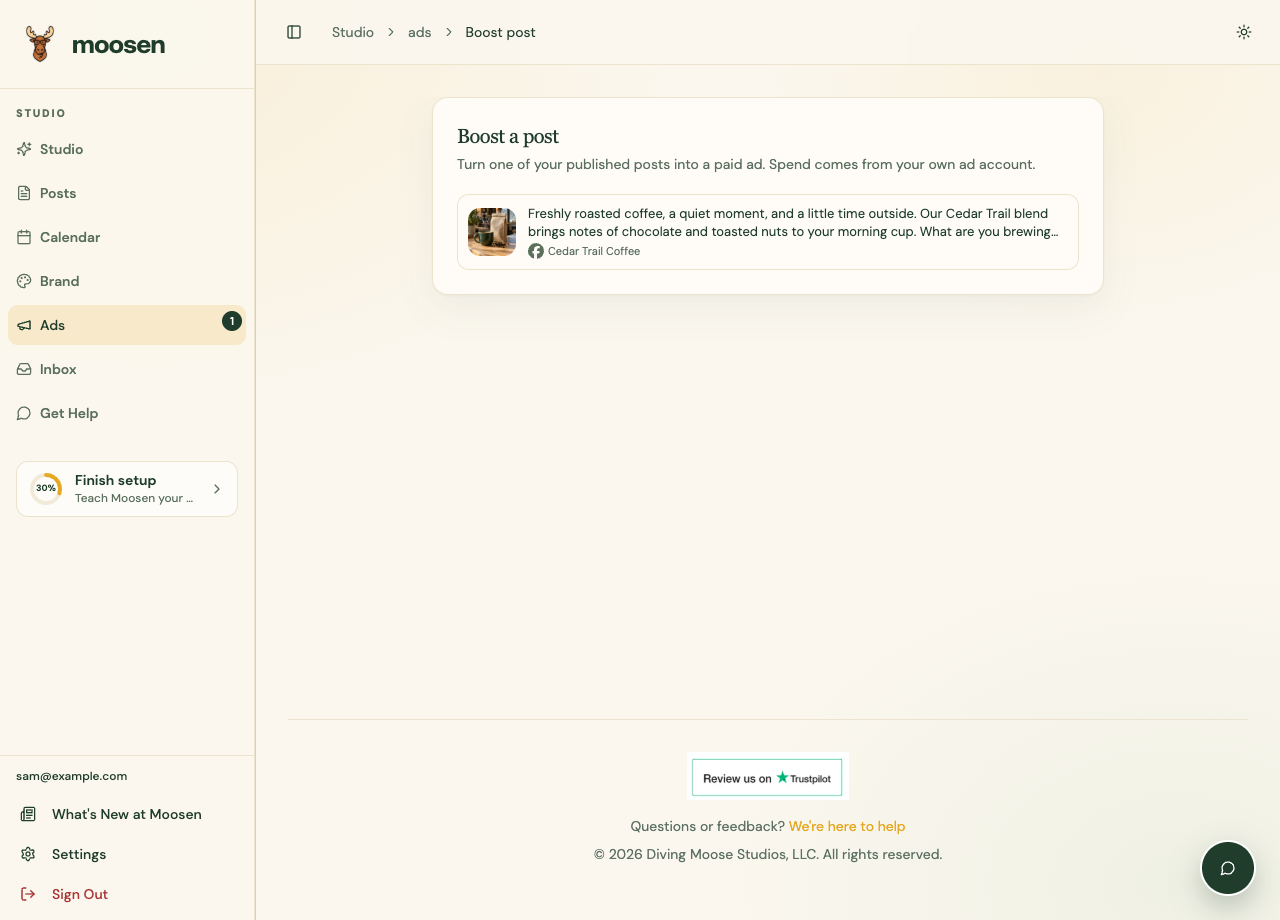 Select an eligible post and inspect the promotion settings. Sample data. Select image to enlarge.
Set the promotion#
Choose the available goal, budget type, amount, and targeting. Review the currency and any other requirements shown for the selected network.
Submit the boost only when you're ready to spend that advertising budget. Check its resulting status in Ads.
If the post is missing#
Confirm that the post is published and belongs to the connected account. Check account permissions and sync status. Some formats and externally created promotions may not be available through the connection.
For Reddit, the post's connected organic author must also be an ad profile of the selected advertiser. Traffic, awareness and video-view boosts are supported; video views needs a video post. See Reddit Ads.
ChatGPT has no organic post boosting in Moosen. Use Create ad for eligible ChatGPT ad accounts.
Boosting is separate from Repost and Recycle, which manage repeated organic publishing.