
The Reviews view supports Facebook and Google Business review sources where the account and platform make them available.
Open a review#
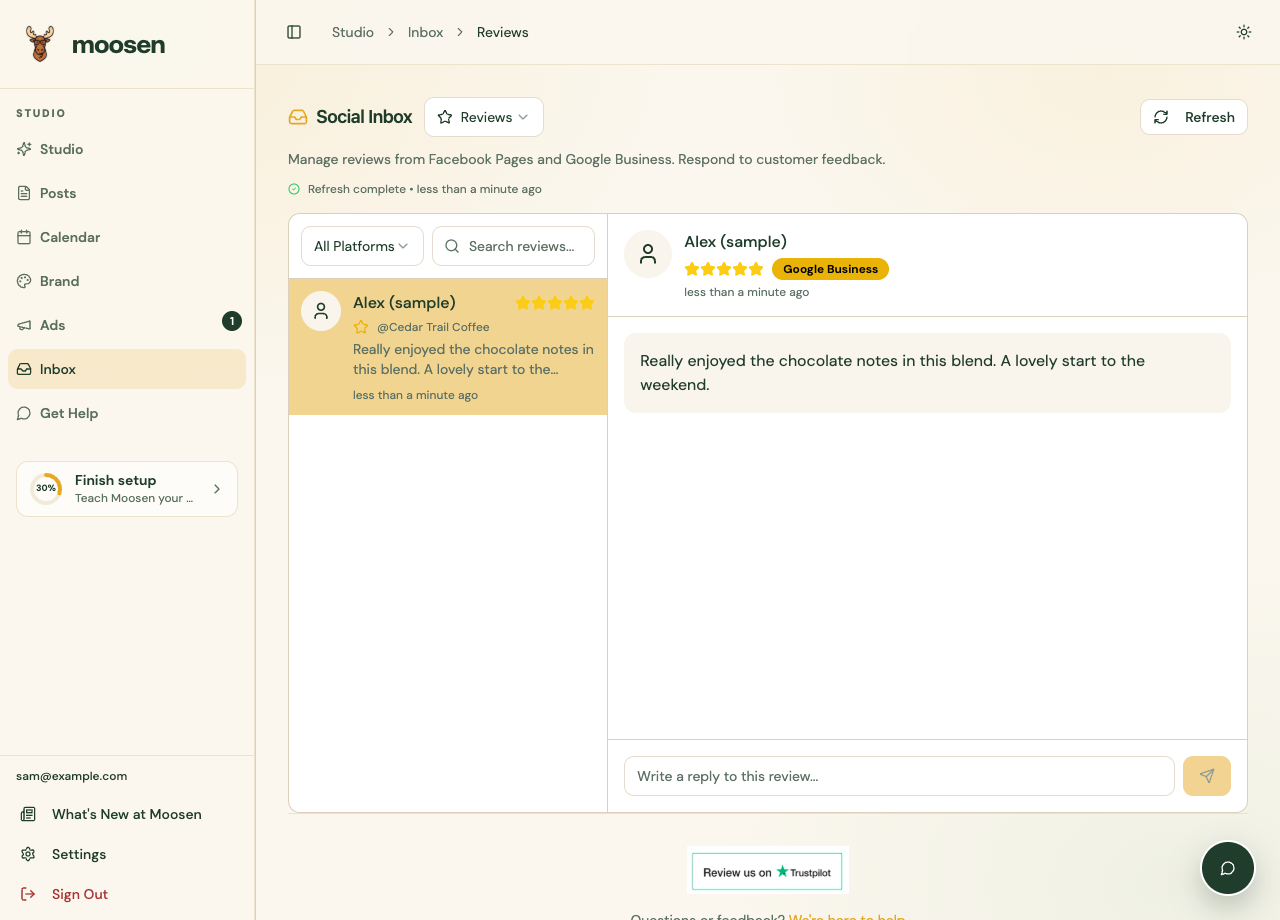
- Select Inbox → Reviews.
- Choose a platform or use search to narrow the list.
- Select the review.
- Read the rating, review text, and any existing reply.
Reply#
Write the response in the review's reply field and send it. Check that the saved reply appears.
Address the actual feedback and keep private customer details out of a public reply. For an issue that needs account-specific help, invite the customer to continue through an appropriate private channel.
Use edit or remove-reply controls only where they are offered by the platform.
If reviews don't appear#
Check the connected Page or business location and the permissions on that account. Review support is separate from social publishing and direct messages.
For posts created from customer feedback, see customer-review content. Replying to a review doesn't create a new social post.