
Download Moosen for iPhone and iPad and sign in with the same Moosen account you use on the web.
Sign in to the right account#
- Install and open Moosen from the App Store.
- Use your existing sign-in method and account identity.
- Confirm that your expected brand and content appear.
- If you use multiple brands, check the selected brand before making changes.
If your content seems missing, check the account identity before creating a second account.
Review while you're away#
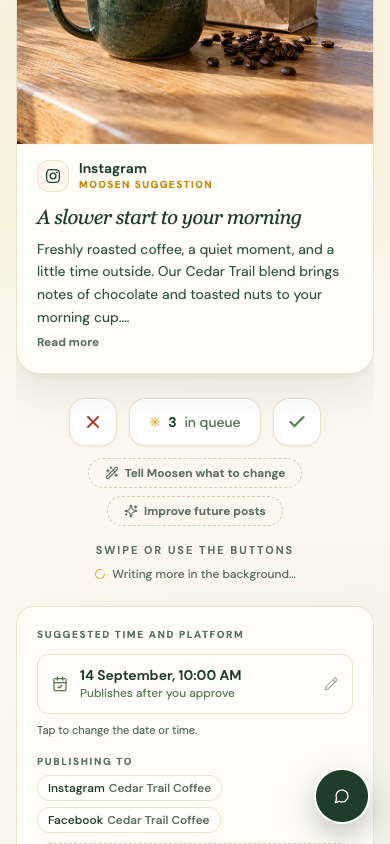
Open Studio to inspect a draft, approve it, skip it, or request a change. Check its proposed time and destinations before approving.
The companion app includes views for posts, calendar, brand settings, social accounts, ads, inbox, analytics, and support. Some connection flows open a web sign-in or platform authorization page.
Use a mobile browser#
You can also open moosen.app on your phone. Open the navigation menu to move between Studio, Posts, Calendar, Brand, and Settings.
The web how-to guides describe the web controls shown in the screenshots. The native app may arrange those controls differently.
Manage purchases and support#
An active subscription is still required for publishing. Manage a purchase through the service where you bought it. Apple purchases use Apple's subscription settings; web purchases use Moosen's web billing flow.
If a purchase isn't recognized, use Restore purchases in the app when available. Use the app's support view or Get Help on the web for assistance.