
Moosen uses your product list to decide what to feature. Accurate names, descriptions, prices, and images help keep generated content grounded in your business.
Review and edit products#
- Select your brand and open Brand → Products.
- Read the imported product names, prices, and descriptions.
- Edit a field that needs correcting and leave the field to save it.
- Check the updated value before moving on.
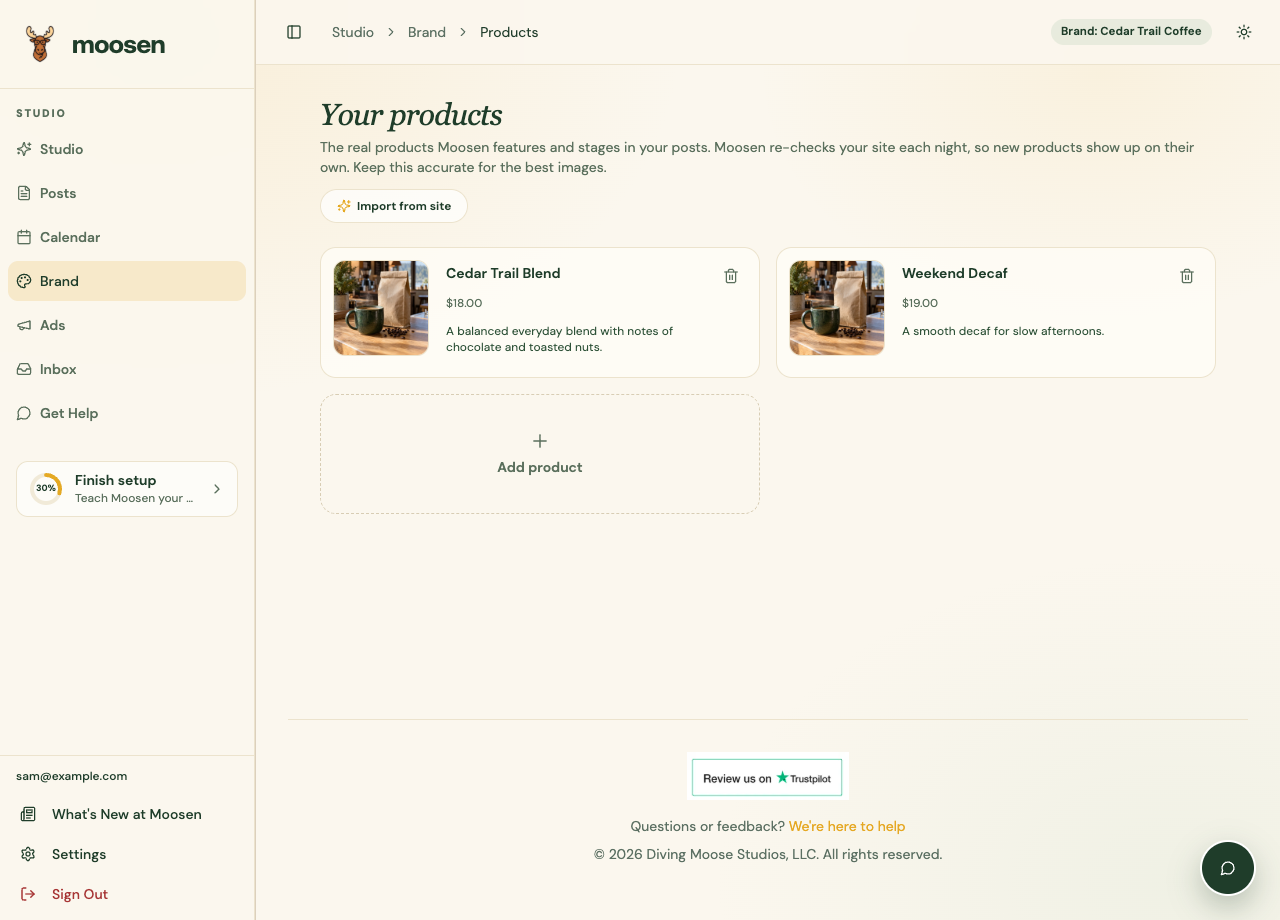 Correct the product details Moosen can use in future posts. Sample data. Select image to enlarge.
Add a missing product#
Use Add product, fill in the name and any available price and description, then save the item. Only enter facts you want customers to see.
Refresh the catalog#
Use the website import or refresh control to reread the catalog. Imported products that disappear from the source can be retired. Inspect the result so old offers don't remain part of your current product selection.
A manual correction may need to be reflected on your website too. Website information is still part of the source Moosen reads.
Remove or restore an item#
Use the remove control on a product you don't want to keep. If an imported item is shown as retired, the restore control brings it back as a manually managed product.
Changing the product list doesn't rewrite existing drafts. Check Posts for scheduled content that mentions the old details.
This feature supports content creation. It doesn't manage your store's orders or inventory.