
The free preview creates social drafts from your website without a payment card. It's a chance to see the content and teach Moosen your preferences before subscribing.
Review the preview#
- Complete getting started and open Studio.
- Read the caption and check the image on each card.
- Approve or skip the post. Both actions use one review decision.
- When the preview limit appears, choose a plan to continue.
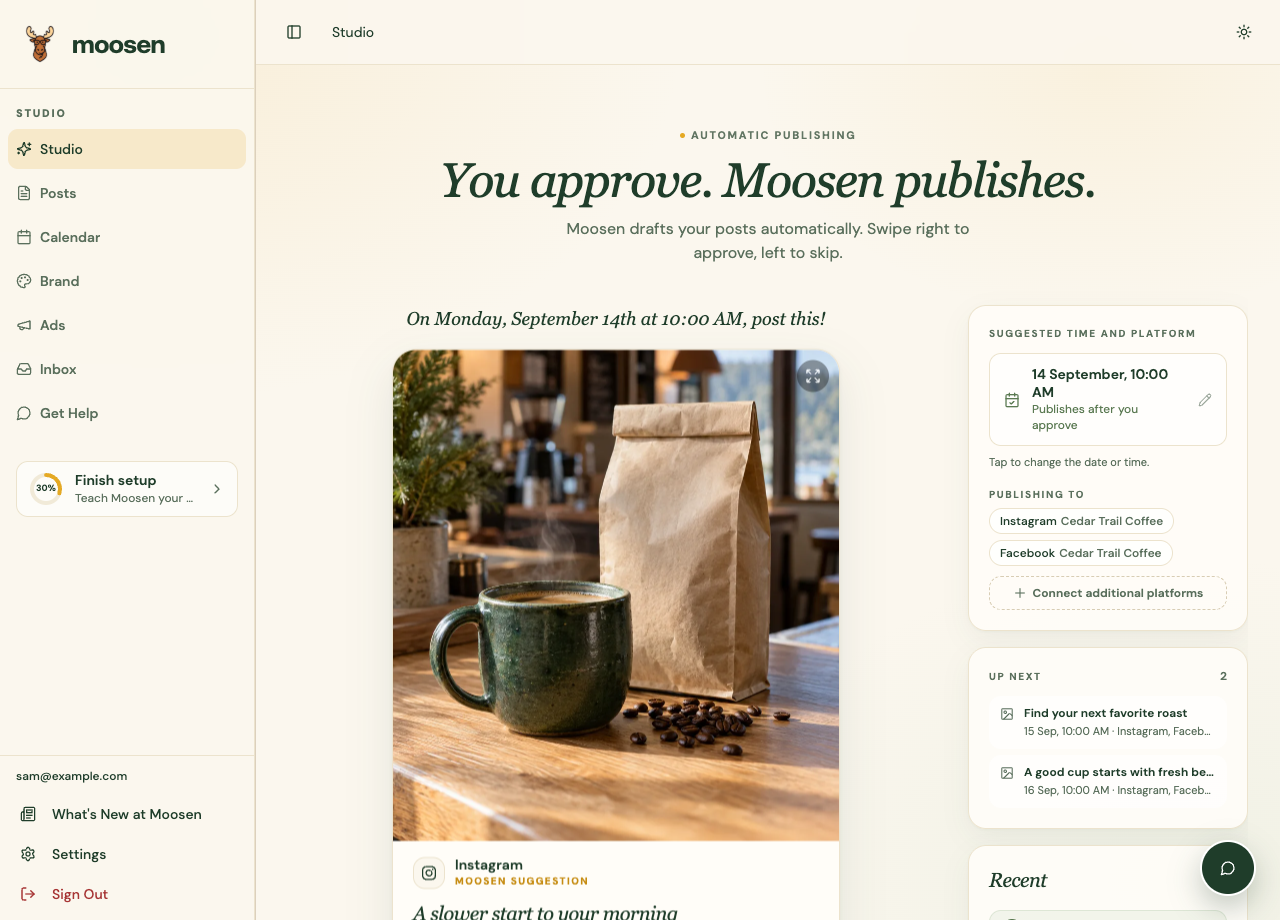 Studio is where you review the drafts Moosen creates. Sample data. Select image to enlarge.
Know the limits#
An unsubscribed account has seven lifetime review decisions and a separate limit of 12 lifetime generated posts. These limits don't reset when you sign out, return another day, or start a new session. Some generated posts may remain behind the preview limit.
Publishing requires an active subscription. Approving a free-preview post doesn't make it live on a social channel.
Move to a paid plan#
Open Settings to view your subscription options, or visit pricing. After subscribing, check your publishing destinations and calendar before relying on an existing draft's schedule.
See plans and usage for how generated posts are counted.