
Bluesky uses an app password for its Moosen connection. Have your handle or account email ready.
Create an app password#
Open Bluesky's app-password settings from the link in Moosen's connection dialog. Create a password for this connection and keep it private. Use the app password instead of your main sign-in password.
Connect the account#
- Open Brand → Social accounts → Add Social Account.
- Select Connect Bluesky.
- Enter your Bluesky handle or email.
- Enter the app password in the app-password field.
- Connect and confirm the account appears in Moosen.
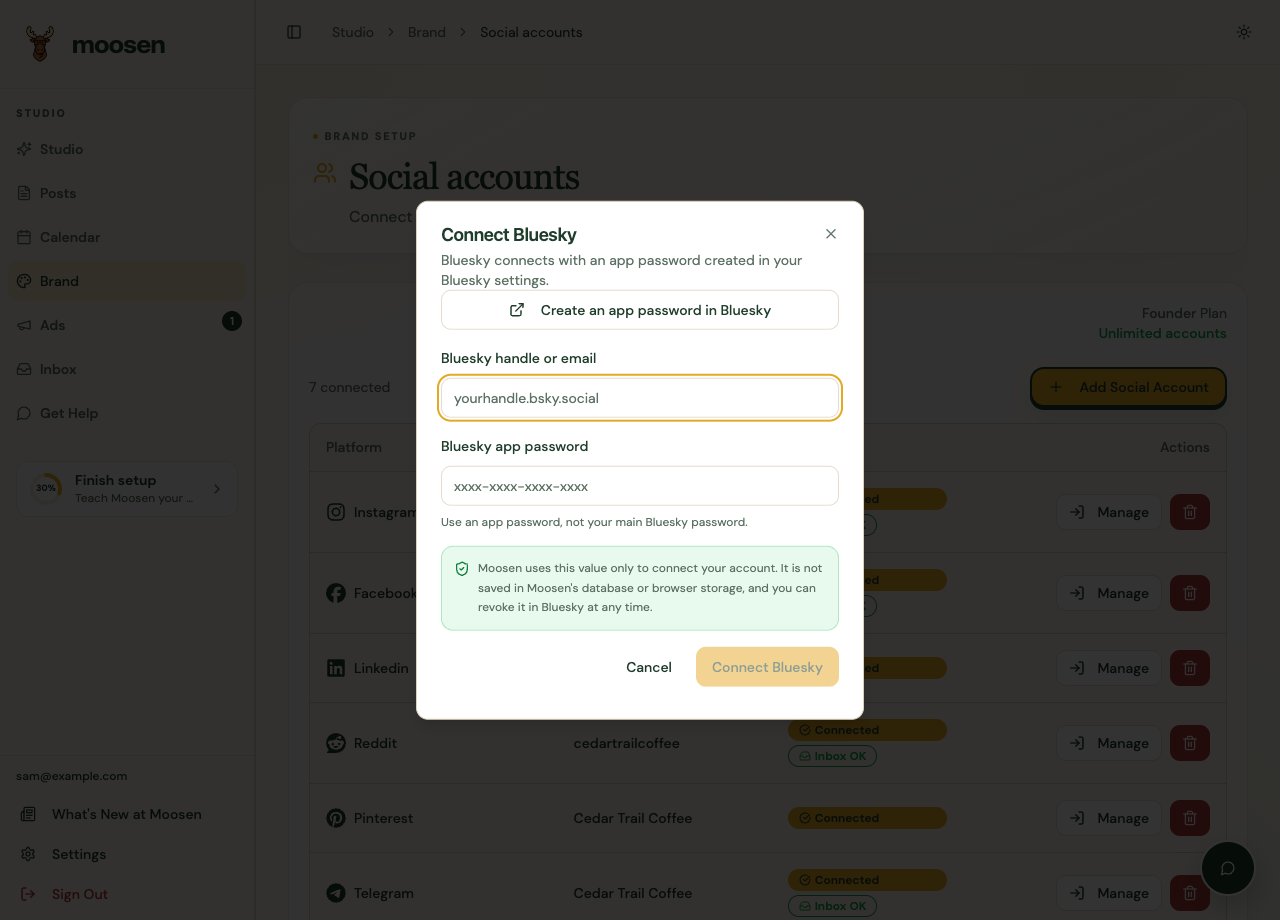 Enter the app password only in the connection dialog. Sample data. Select image to enlarge.
Publish a post#
Create a post in Posts, select Bluesky, and review the caption and media. Choose Now or Schedule and check the result after delivery.
Add Bluesky to your posting schedule if you want automatic drafts to use it.
Understand inbox differences#
Bluesky is supported for conversations, but its messages don't support attachments in Moosen. Server-side conversation search also has limits for Bluesky. Try opening the conversation directly when search doesn't find it.
If an app password is revoked, reconnect with a valid app password. See messages for the shared-inbox workflow.