
Blog publishing is available on Founder and Multi-Brand, with supported legacy equivalents. Use Blog in the web sidebar to write an article yourself or generate one for review. Connect WordPress or Shopify when you want to deliver it to your website.
Start with a reviewed article#
- Add your business website and brand guidance.
- Open Blog and choose the brand for the article.
- Select Write an article, or enter an optional topic and select Generate article.
- Review the writing, facts, excerpt, tags and image.
- Choose the connected destination and the publishing action.
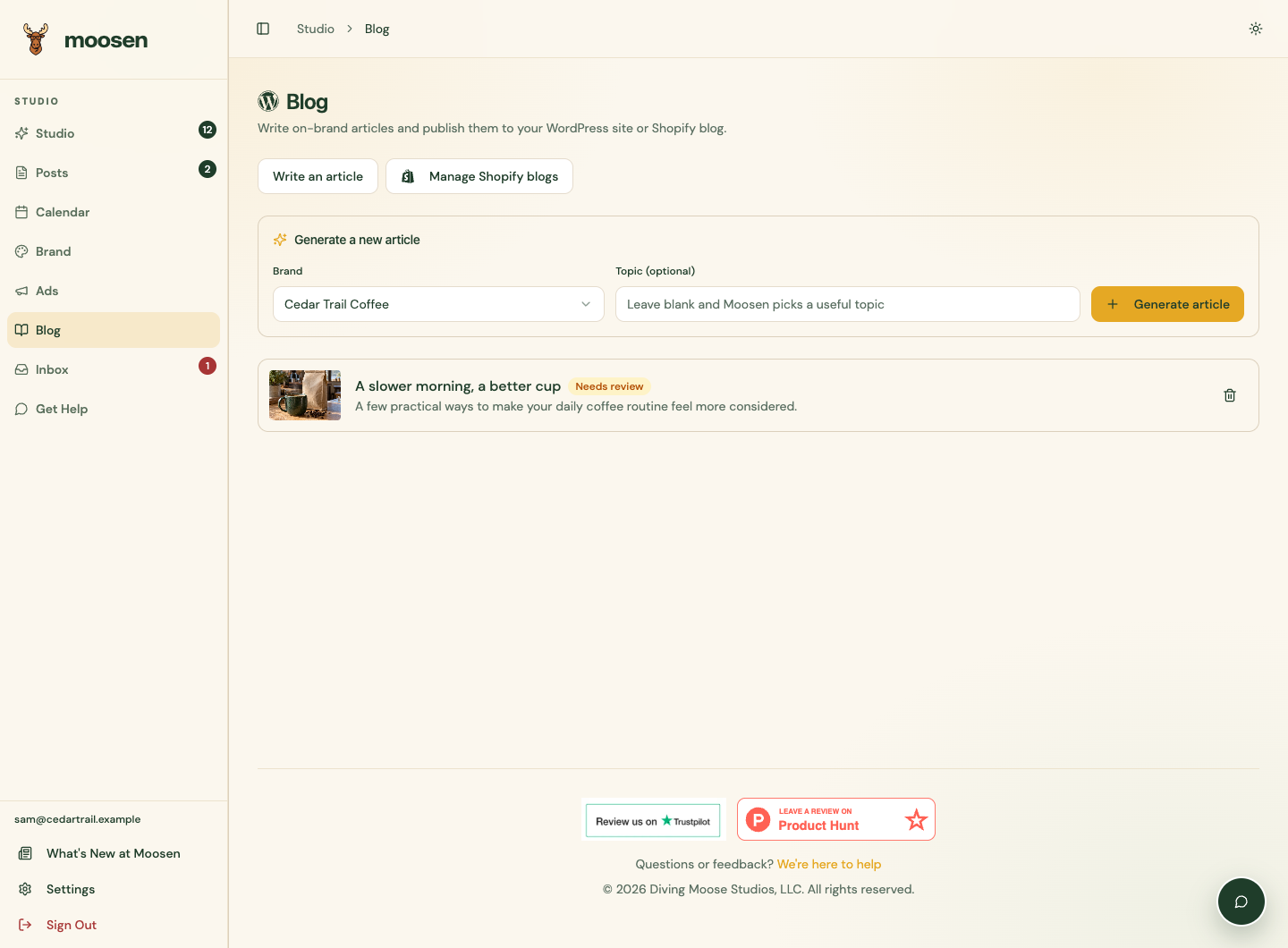 Blog keeps customer articles separate from social posts. Sample data. Select image to enlarge.
A generated article starts in Needs review. Generation doesn't publish it. Save draft stores your edits in Moosen; publishing and scheduling are separate actions.
Connect your website#
- Connect Shopify, then choose a store blog for each article.
- Connect WordPress through WordPress.com or a self-hosted site's application password.
- Write and edit an article, including supported author, image and SEO details.
- Manage Shopify blogs and existing articles.
- Resolve a delivery problem before retrying.
WordPress and Shopify connections don't appear as social-post destinations. Blog scheduling happens on the connected website, separately from Calendar and social autopilot. Other CMS destinations, exports, marketplace listings and automatic article-to-social workflows remain planned.