
Comments live in their own Inbox view. Supported comment platforms include Facebook, Instagram, YouTube, LinkedIn, Reddit, Bluesky, TikTok, Threads, and X. Available actions differ.
Find the comments#
- Open Inbox → Comments.
- Filter by platform or search for a post.
- Select the post to load its comments.
- Read the comment and its surrounding replies.
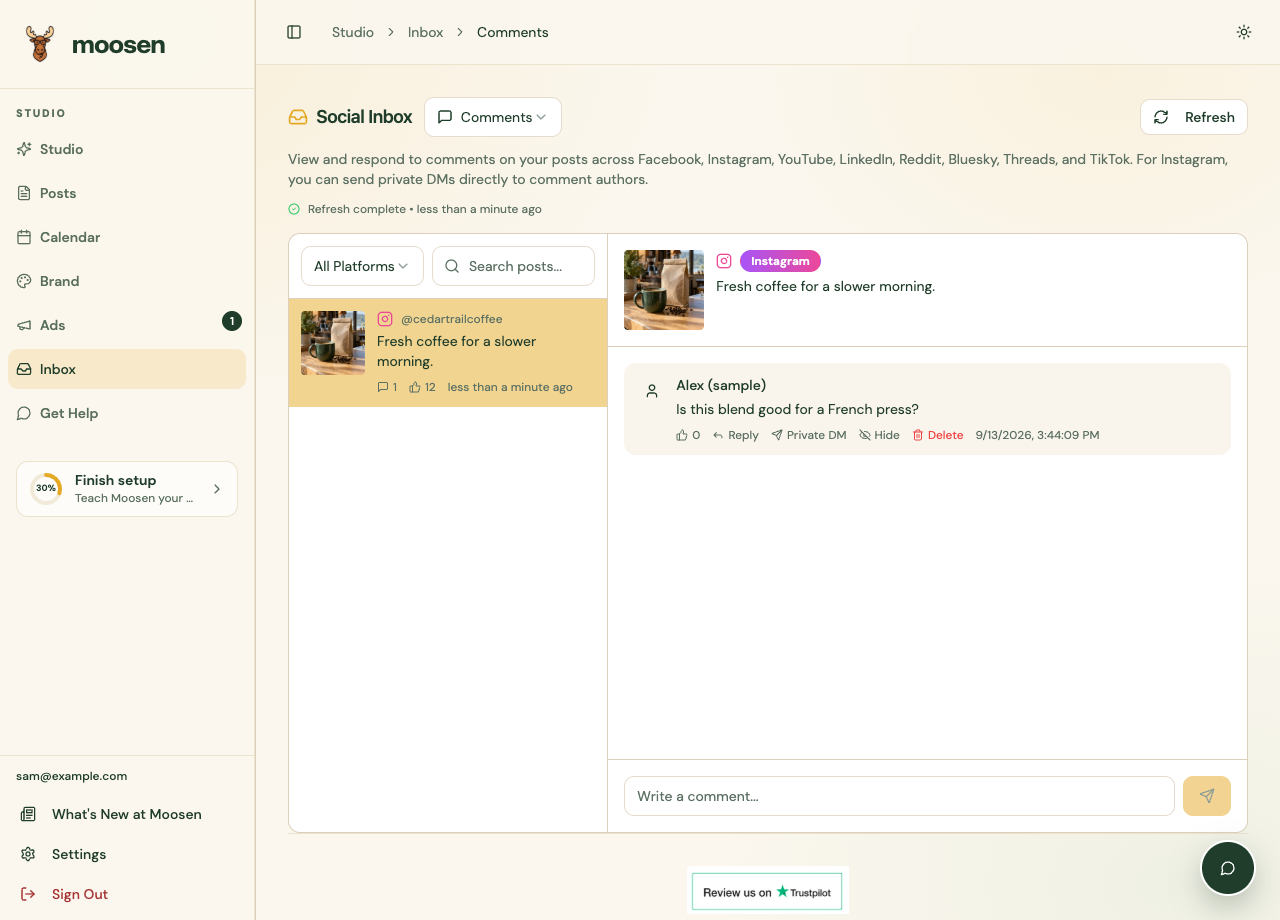 Select the post before replying to its comments. Sample data. Select image to enlarge.
Reply or moderate#
Use the reply field beside a comment when a reply action is available. Review the wording, send it, and check the result.
Depending on the platform and your permissions, additional controls can include liking, hiding, or deleting a comment. Read the selected action before applying it.
A private reply is a different action from a public comment reply. Use it only when the platform offers it and the conversation belongs in a private message.
Check missing actions#
A visible comment doesn't mean the account can perform every moderation action. The connection, platform, and comment state determine which controls appear.
If comments aren't loading, confirm the post belongs to a supported connected account. Use Get Help with the platform, post, and exact error if the problem continues.