
Moosen's dashboard is your Studio. The sidebar gives you a direct route to the tools you use most.
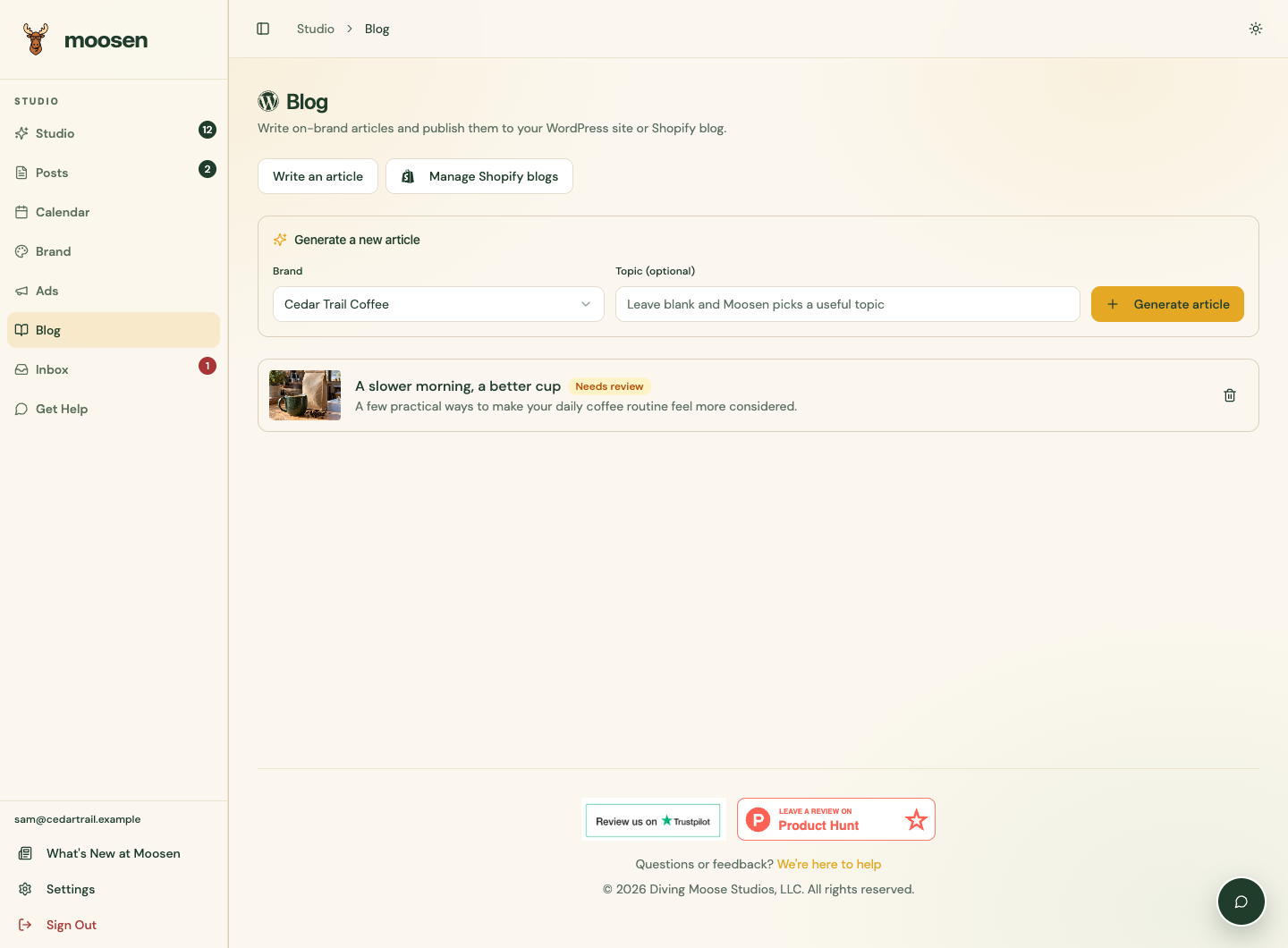 The dashboard sidebar stays beside your work. Sample data. Select image to enlarge.
Choose a workspace#
| Open | Use it to |
|---|---|
| Studio | Review and approve the drafts waiting for you. |
| Posts | Find queued and published posts, edit content, check delivery, and view performance. |
| Calendar | See when posts will publish and move eligible posts to another day. |
| Brand | Manage writing rules, voice, design, products, images, websites, and social connections. |
| Blog | Write, review and publish articles to WordPress or Shopify on Founder or Multi-Brand. |
| Ads | Manage supported paid campaigns on Founder or Multi-Brand. |
| Inbox | Read and respond to supported messages, comments, and reviews. |
| Get Help | Start a support conversation or return to an existing one. |
| Settings | Manage account details, timezone, automation, publishing pauses, and your subscription. |
Select the right brand#
The brand selector is on Brand. Use it before editing writing guidance, products, or images. Studio, Posts, Calendar, Ads, Website source, and Social accounts show account-wide information. Check the brand and destinations on each item or posting schedule.
Continue on a smaller screen#
Use the sidebar toggle to show or hide navigation when space is limited. You can also use the iPhone and iPad app with the same Moosen account.
The Blog workspace keeps website articles separate from social posts. The guides here document the web controls.
Your next step is to review a post or connect a channel.