
Use Tell Moosen what to change for an existing draft. Use Improve future posts for feedback that should influence later content.
Refine this post#
- Open the draft in Studio.
- Select Tell Moosen what to change below the card.
- Choose Caption or Image, when image editing is available.
- Select a suggested change or write a specific instruction and submit it.
- Review the result. Select Use this version or Use this image to apply it. Keep the original if you prefer it.
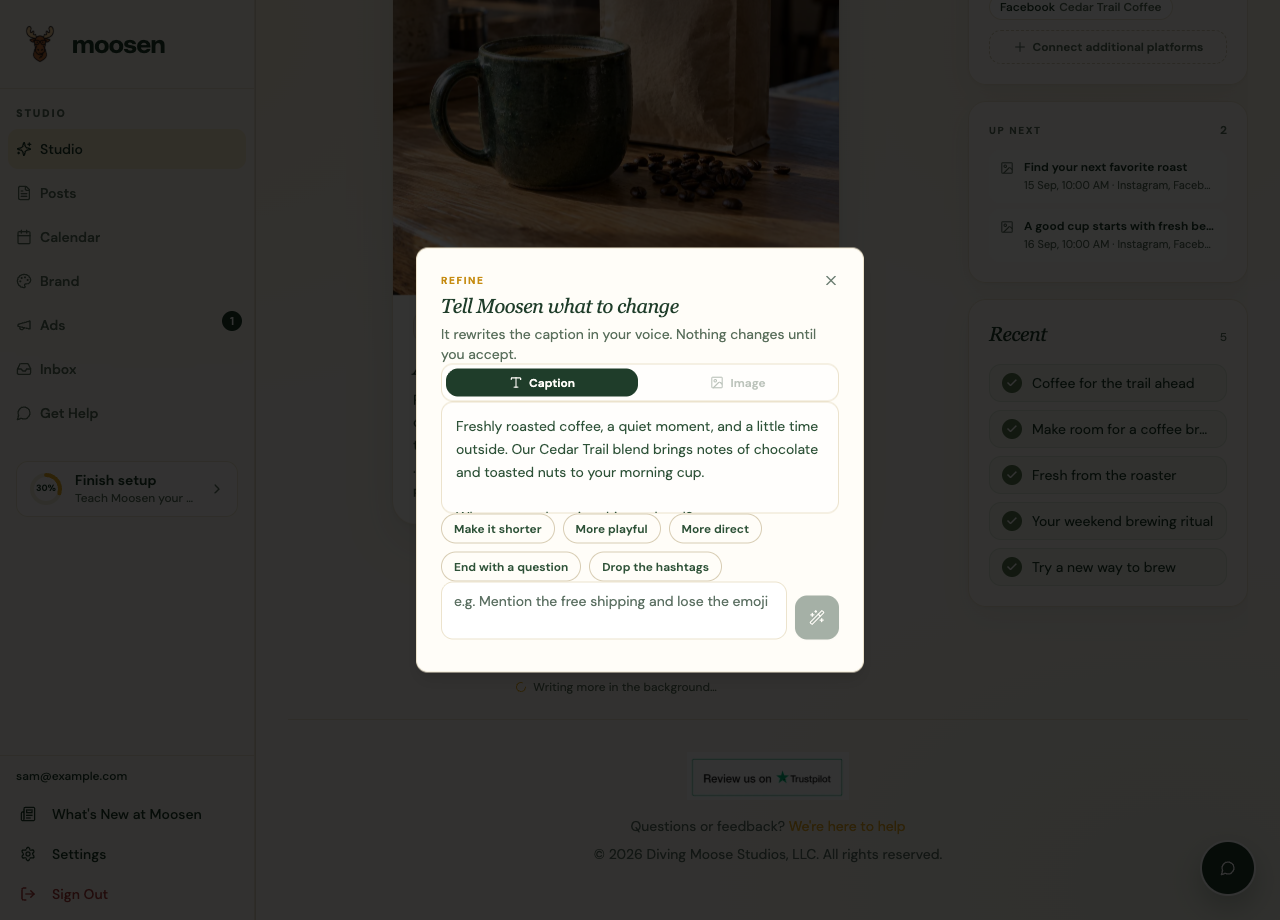
For direct text edits, open the post's Edit action in Posts.
Be specific. "Shorten this to two sentences and remove the discount claim" gives a clear direction. If changing the image, name the detail that needs correcting.
Improve future posts#
- In Studio, select Improve future posts.
- Explain what Moosen should learn about the brand.
- Submit the feedback.
- Review later drafts to see whether the direction improves.
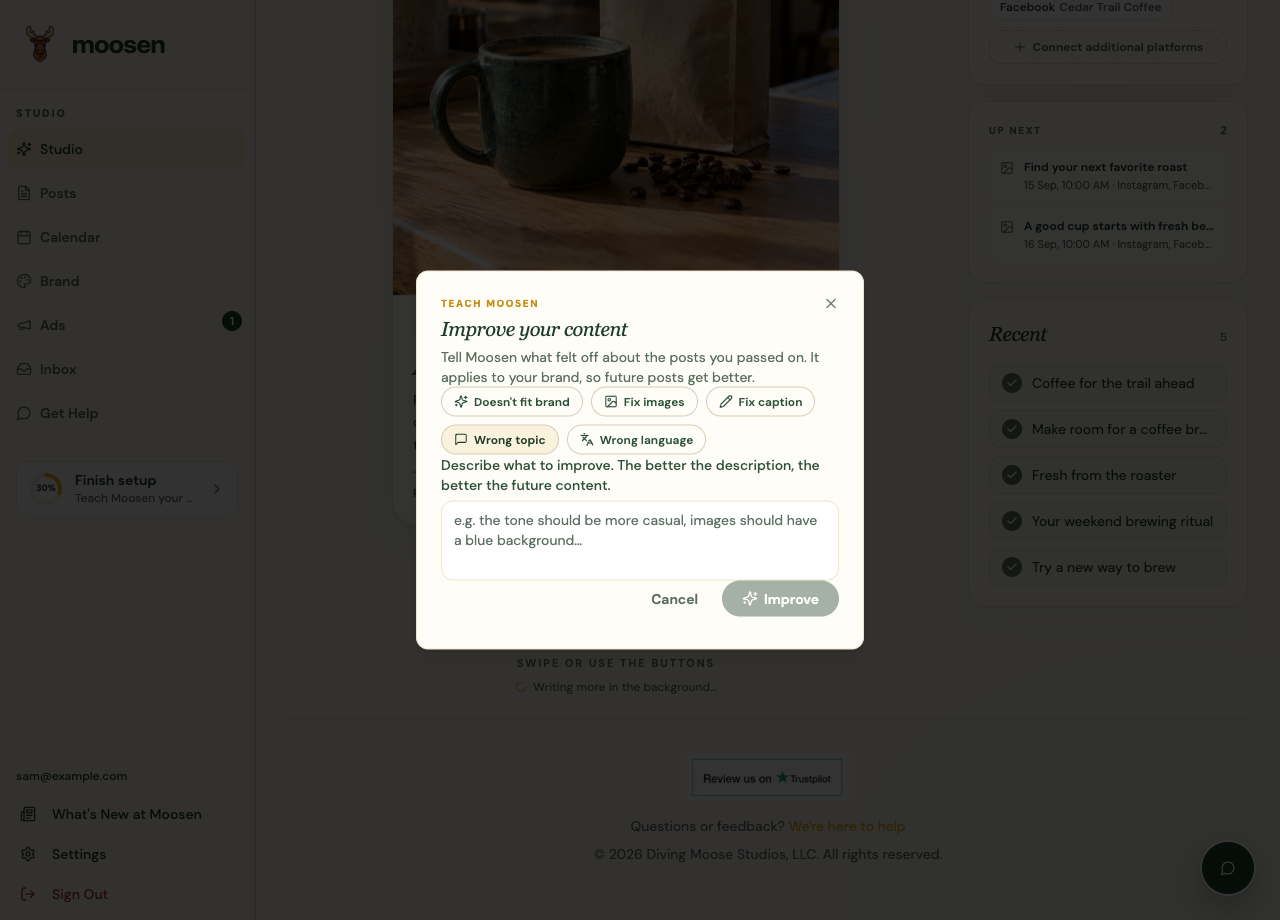
This feedback doesn't automatically rewrite the post on screen. Refine that post separately if it still needs a correction.
Keep permanent rules easy to find#
Put rules you want to edit and maintain yourself in Brand → Writing style & rules. Correct factual errors in Products or your website source as well.