
Telegram connects through a publishing bot and a one-time code. You need permission to add that bot as an administrator of the intended channel or group.
Start in Moosen#
- Open Brand → Social accounts → Add Social Account.
- Select Connect Telegram.
- Keep the connection dialog open. It shows the bot name and your one-time code.
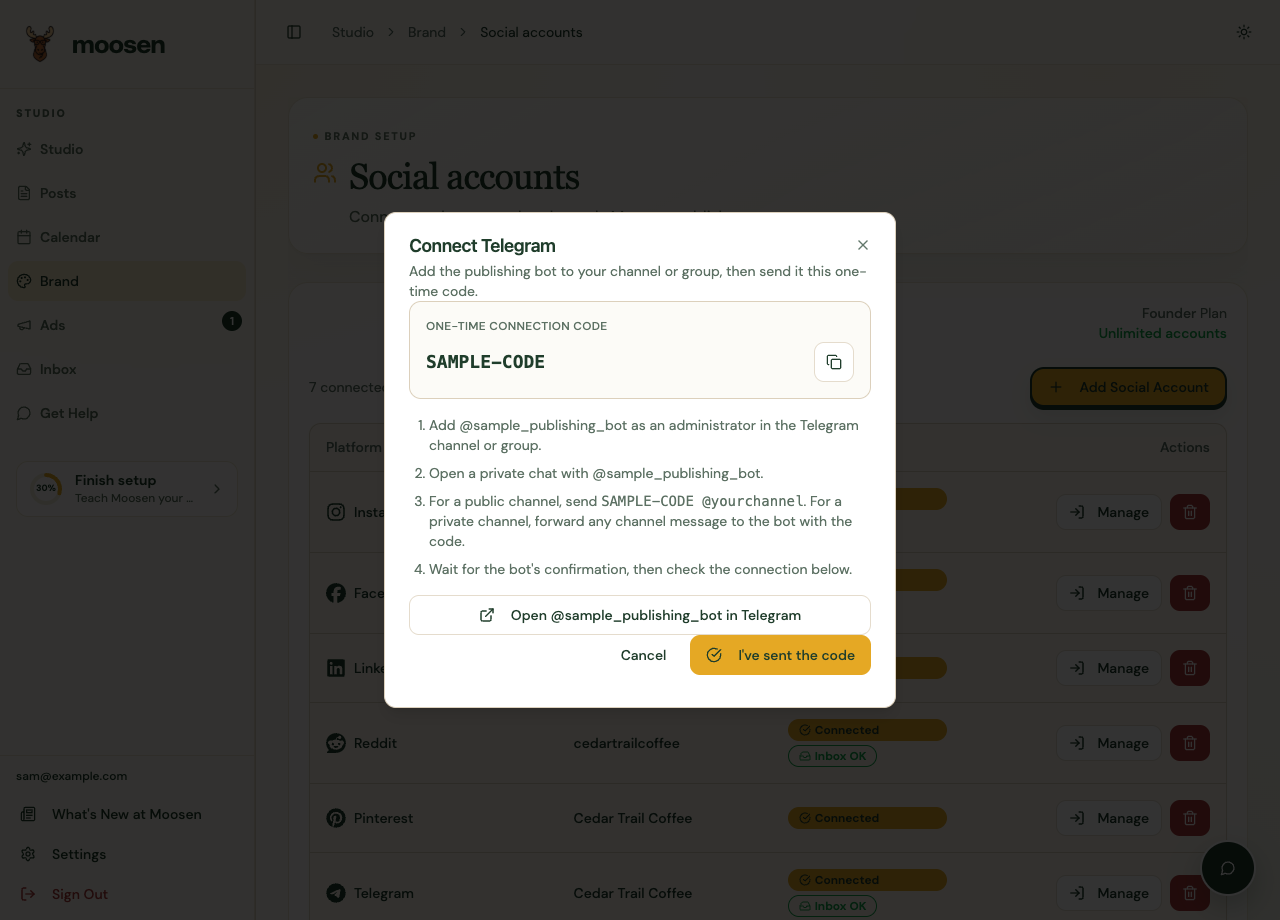
Complete the Telegram steps#
- Add the named bot as an administrator in your Telegram channel or group.
- Open a private chat with that bot.
- For a public channel, send the code followed by your channel's username, as shown in the dialog.
- For a private channel, follow the dialog's instructions to forward a channel message to the bot with the code.
- Wait for the bot's confirmation.
Don't reuse a code from a screenshot. Generate the code for your own Moosen connection.
Confirm and publish#
Return to Moosen and select I've sent the code. If the connection is still pending, check the bot's confirmation and channel permissions, then check again.
Once connected, select Telegram as a destination in the manual composer or your posting schedule. Verify delivery after the scheduled time.
Telegram conversations also have supported features in the shared inbox. Publishing to a channel and replying to a conversation are separate workflows.