
Ads are available on Founder and Multi-Brand. Ad spend is separate from your Moosen subscription.
Moosen supports Meta (Facebook and Instagram), Google, TikTok, LinkedIn, Pinterest, X, Reddit, and eligible ChatGPT ad accounts. The available actions depend on the network and account.
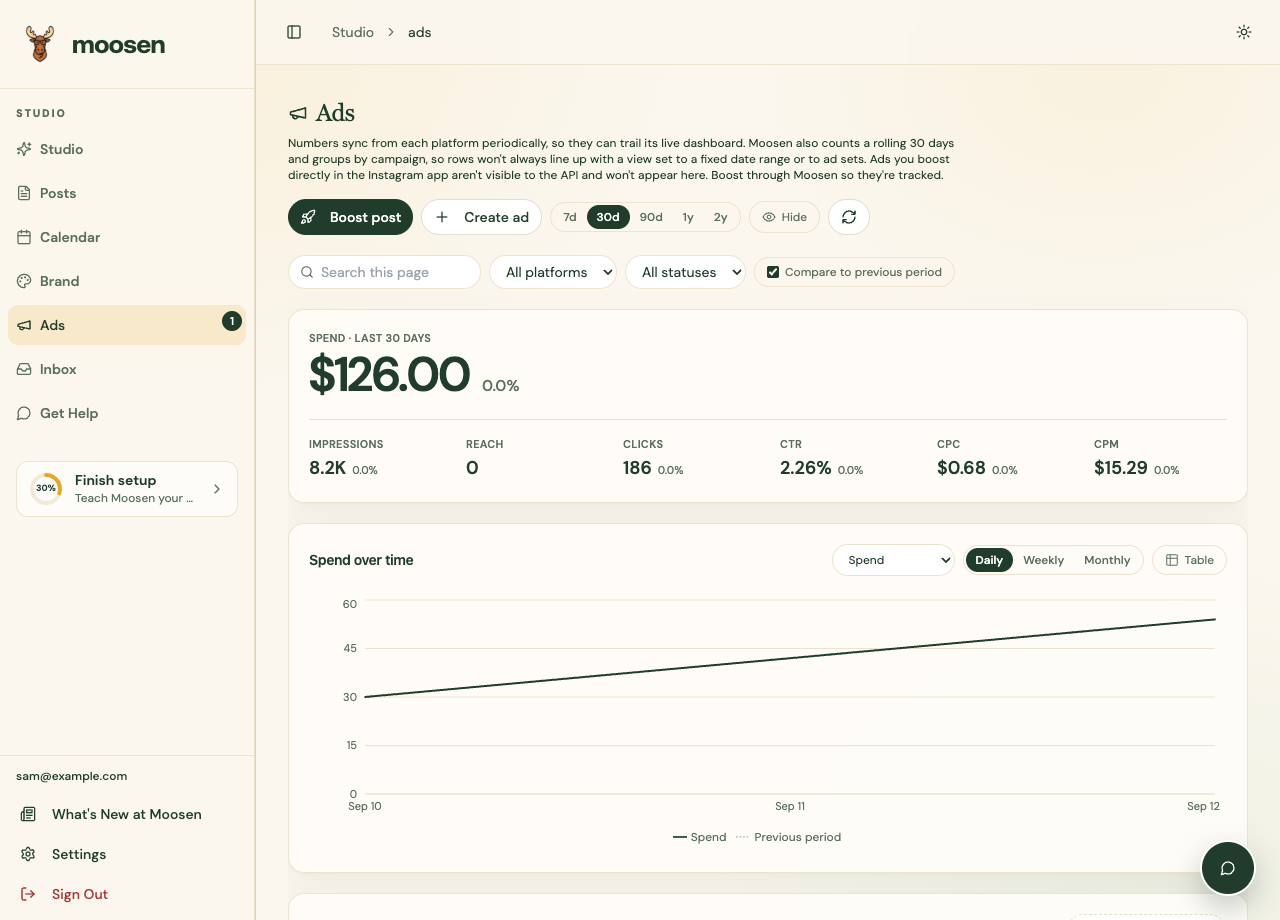
Open Ads#
- Select Ads in the sidebar.
- Connect an account with the appropriate advertising permissions if none is available.
- Sync ad accounts.
- Choose the date range and inspect the campaigns and results.
Choose your next task#
- Connect ad accounts and choose the right paying account.
- Set up Reddit Ads for Reddit-specific pixels, formats and promotion limits.
- Create an ad with supported creative and targeting.
- Boost a post when the network and post are eligible.
- Manage budgets and status.
- Read reporting or review recommendations.
Approving an organic post in Studio doesn't launch an ad or allocate an advertising budget.
Know the boundaries#
Platform review and delivery rules still apply. Moosen doesn't grant advertiser eligibility or guarantee that a campaign will be approved.
Reporting can lag behind the platform's own dashboard. Missing conversions or return-on-ad-spend values can reflect unavailable source data or tracking, rather than a failed campaign.
ChatGPT ads require an eligible advertiser account. They have their own connection and creative workflow and don't support organic post boosting.