
Open an article in Blog, review its content and choose Publish to. Shopify articles also need a selected Shopify blog. You control when the article is sent.
Choose the right action#
| Control | Result |
|---|---|
| Save draft | Saves the current edits in Moosen. It doesn't deliver them to the website. |
| Create blog draft | Creates or updates an unpublished draft on the selected website. |
| Publish now | Sends the article for publication on the selected blog. |
| Update published article | Sends your edits to the same previously published article. |
| Schedule | Sends a future publication time to WordPress or Shopify. |
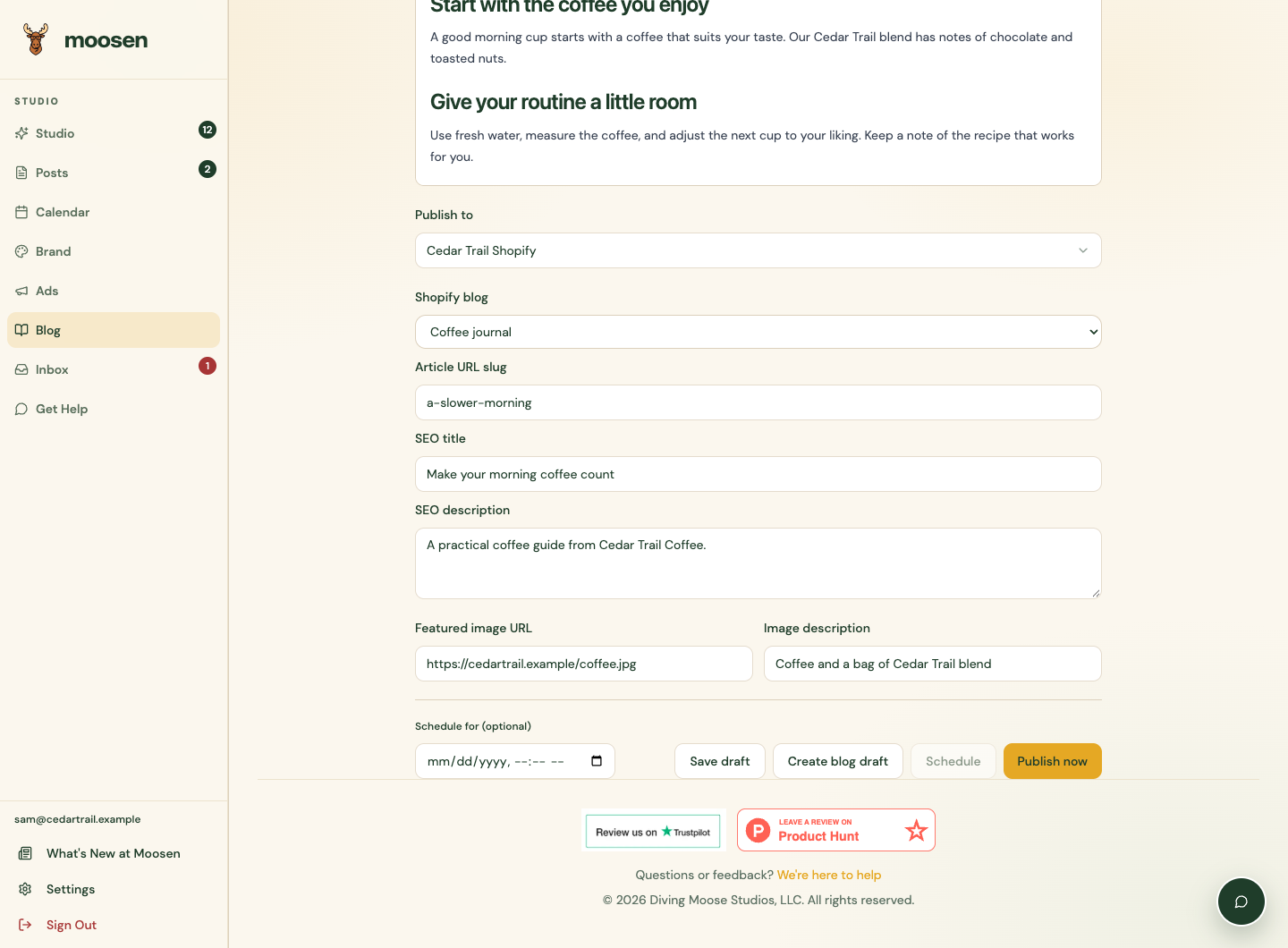
The website-draft action appears for articles that aren't currently published. Check the resulting status after the request.
Set a publication time#
- Enter a future date and time in Schedule for (optional).
- Check the selected store or site and, for Shopify, the blog.
- Select Schedule.
- Confirm Moosen reports Scheduled.
The date field uses your browser's local timezone. WordPress or Shopify publishes the article at the submitted time. Social autopilot, social posting pauses and Calendar don't control this website schedule. Manage the article separately if its timing changes.
Check the result#
Moosen records the website's confirmed draft, scheduled or published state. The connection doesn't provide a public article URL, so check your store or site's own article view when you need the final link.
If delivery is Publishing or its outcome is uncertain, don't create another copy to retry it. Check the website and contact support before resending.